Divi Advanced Heading Module
Build multi-part, animated headings in Divi with the GSAP-powered Advanced Heading module.
[ Headings With Structure ]
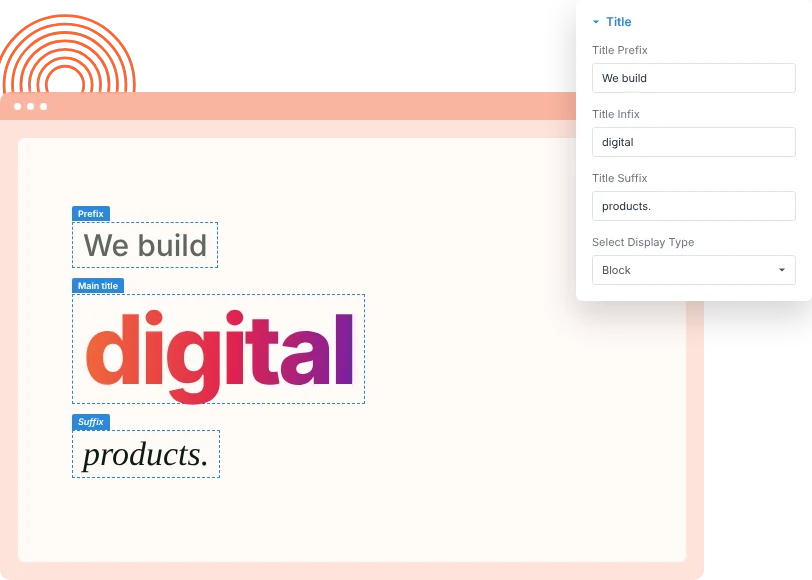
Split Your Heading Into Parts
Write a heading in three parts: a prefix, a main title and a suffix. Give each part its own font, size, weight and color, and set it to sit inline or on its own line.
[ Depth Behind Your Title ]
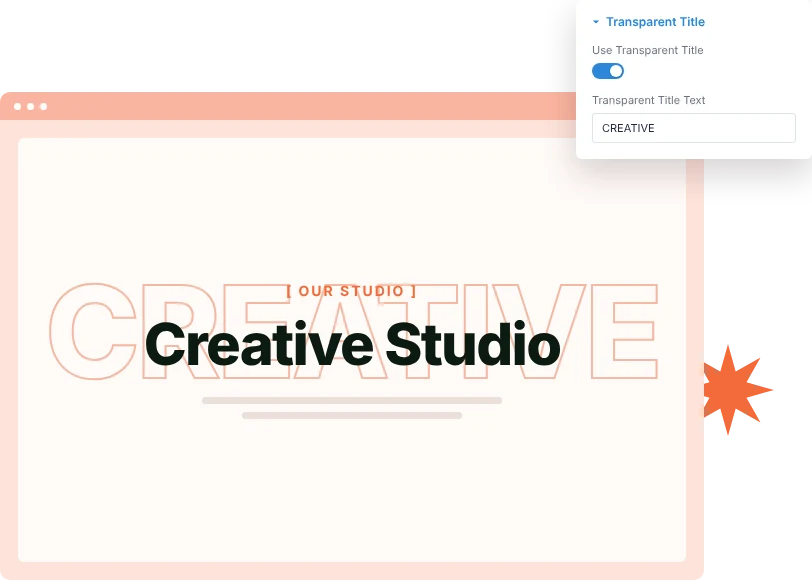
Add an Outlined Background Title
Place a large, transparent outlined word behind the heading. It adds depth to hero and section titles while the real heading stays readable on top.
[ Motion Built In ]
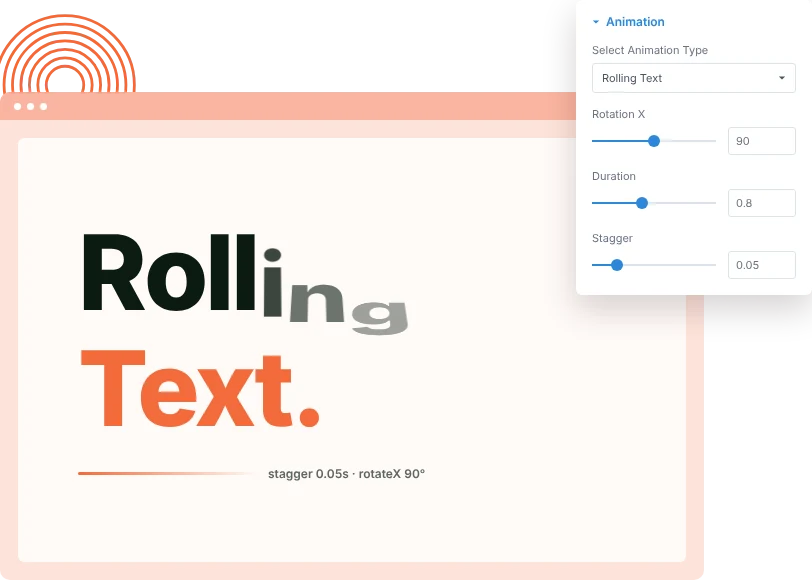
Animate Headings With GSAP
Pick Rolling Text, Horizontal Text or Revert After Animation, then tune rotation, duration, stagger, scale and easing until the heading moves the way you want.
[faq]
Frequently Asked Question
Still have questions? Get in touch with our team via “support@diviexpand.com”
What is the Advanced Heading module in Divi?
It is a heading module that splits a title into a prefix, main title and suffix, adds an optional outlined background title, and animates the text with GSAP.
Can I style each part of the heading differently?
Yes. The prefix, main title and suffix each have their own font settings, so you can change size, weight, color and spacing per part.
What is the transparent title?
It is a large outlined word placed behind the heading. Turn on Use Transparent Title and enter the text you want to show.
Which animations are available?
Rolling Text, Horizontal Text and Revert After Animation, plus the default entrance. Each has its own duration, stagger and easing settings.
Is the heading still readable by search engines?
Yes. The module outputs a real heading tag with your text, so search engines and screen readers read it like any other heading.
Can I choose the heading level?
Yes. Set the heading level from H1 to H6 in the module's title font settings.
Does it work on mobile?
Yes. Font sizes, spacing and display type can be set separately for desktop, tablet and phone.
Do I need custom code to use Advanced Heading?
No. Add and configure the Advanced Heading module directly in the Divi Builder.
[ More Divi Motion Effects ]
Our Others Modules
Build richer visual experiences by combining with other DiviAnimator modules.
Circular Animation
Create captivating text effects that grab attention and improve engagement.
Particle Text
Create captivating text effects that grab attention and improve engagement.
Flexible Blurb
Create captivating text effects that grab attention and improve engagement.
Everything You Need to Animate Divi
One plugin. Powerful extensions. Endless creative possibilities. Start building immersive Divi websites with smooth, high-performance animations powered by GSAP.