Divi Scroll to Top
Add a floating back-to-top button with an optional scroll progress ring to your whole Divi site, with no code.
[ One Click Back Up ]
Add a Floating Back-to-Top Button
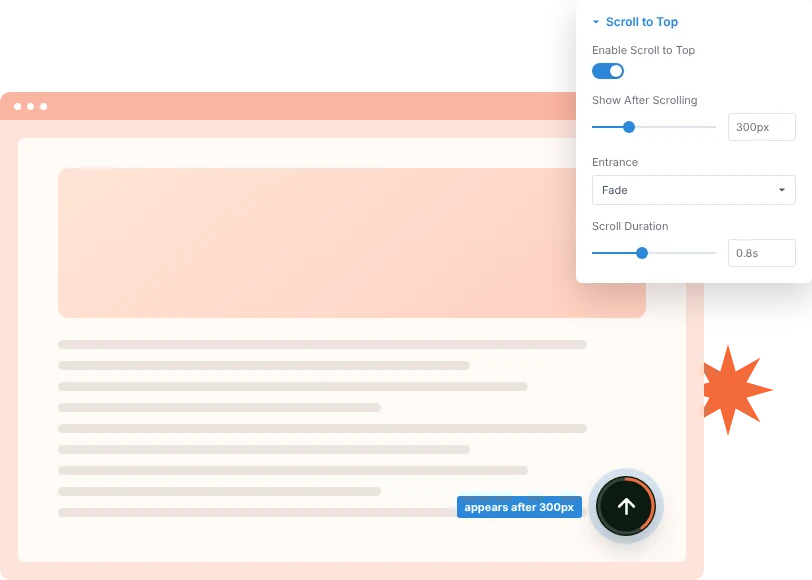
Turn on Scroll to Top once and every page gets a button that glides visitors back to the top. Choose how far they scroll before it appears and how long the trip back takes.
[ Progress at a Glance ]
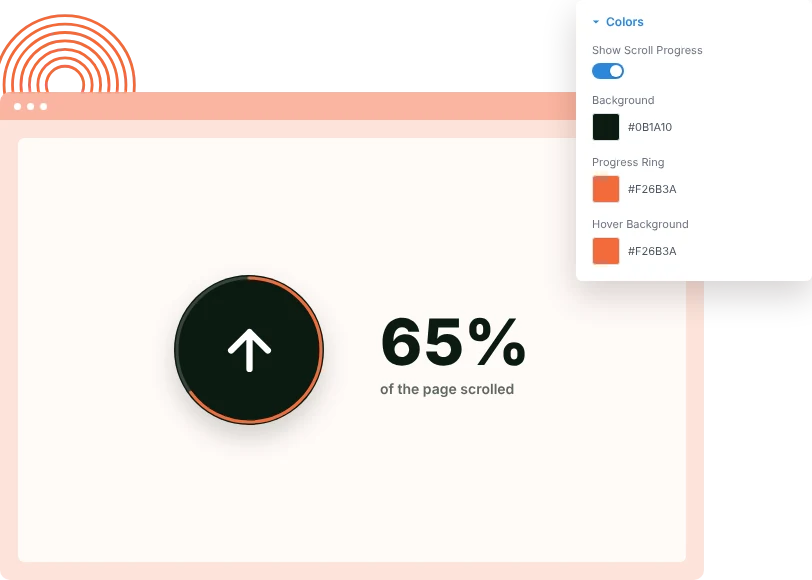
Show Reading Progress Around the Button
Turn on the progress ring and the button's outline fills as the visitor scrolls, so long posts and landing pages show how much is left to read.
[ Fits Every Design ]
Match the Button to Your Brand
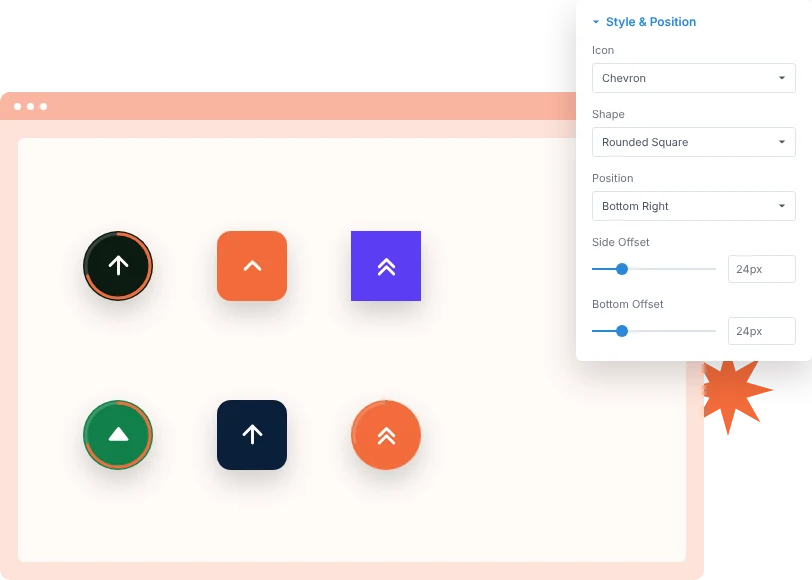
Choose an arrow, chevron, double chevron or solid caret, then a circle, rounded square or square shape. Set the size, corner and offsets so it sits clear of chat widgets and cookie bars.
[faq]
Frequently Asked Question
Still have questions? Get in touch with our team via “support@diviexpand.com”
What is the Scroll to Top extension for Divi?
It adds a floating button to your site that scrolls visitors smoothly back to the top of the page, with an optional ring that shows scroll progress.
Do I need to add it to every page?
No. It is a site-wide extension. Turn it on once in the DiviAnimator dashboard and it appears on every page.
When does the button appear?
After the visitor scrolls past the distance you set in Show After Scrolling. It enters with a fade, slide up or zoom.
What is the scroll progress ring?
A ring around the button that fills as the visitor moves down the page. Turn it on with Show Scroll Progress and pick its color.
Can I hide the button on mobile?
Yes. Show on Desktop, Show on Tablet and Show on Mobile each have their own switch.
Can I move the button?
Yes. Place it bottom left or bottom right and set side and bottom offsets.
What if it overlaps a chat widget?
Raise the bottom offset or move it to the other corner, and adjust the z-index so it layers correctly.
Do I need custom code to use Scroll to Top?
No. Everything is set from the DiviAnimator dashboard.
[ Extensions ]
Related Extensions
More GSAP-powered DiviAnimator extensions that pair well with Scroll to Top.
Text Animation
Animate headings by character, word or line as they scroll into view.

Image Reveal on Hover
Show a floating image that follows the cursor over links and lists.

Advanced Animation
Fade, zoom and 3D entrance effects with five trigger types.
Everything You Need to Animate Divi
One plugin. Powerful extensions. Endless creative possibilities. Start building immersive Divi websites with smooth, high-performance animations powered by GSAP.