Divi Preloader Extension
Show a branded loading screen while your Divi site loads, with 18 animated layouts, your logo and a live percentage counter.
[ First Impressions ]
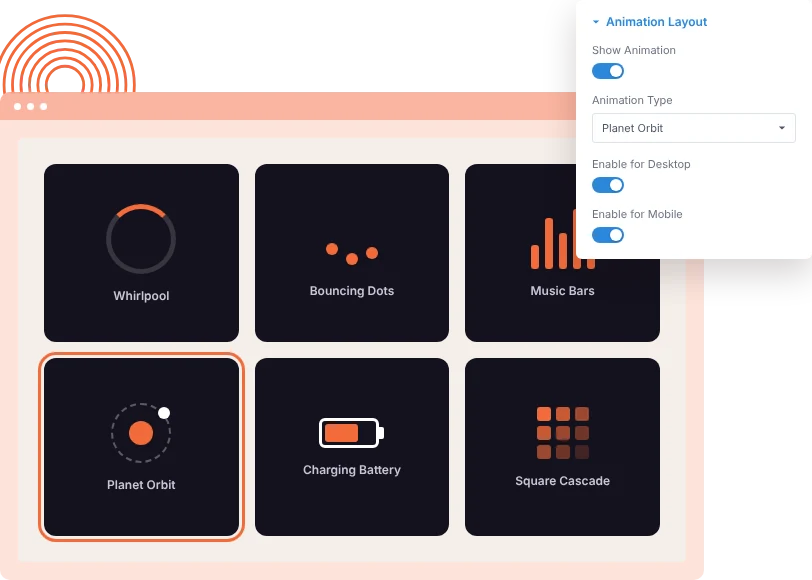
Pick From 18 Loader Animations
Choose Whirlpool, Infinity Spin, Planet Orbit, Charging Battery, Music Bars and more. A live preview shows the loader as you change it, and each device can have its own setup.
[ Your Brand Up Front ]
Add Your Logo, Text and Counter
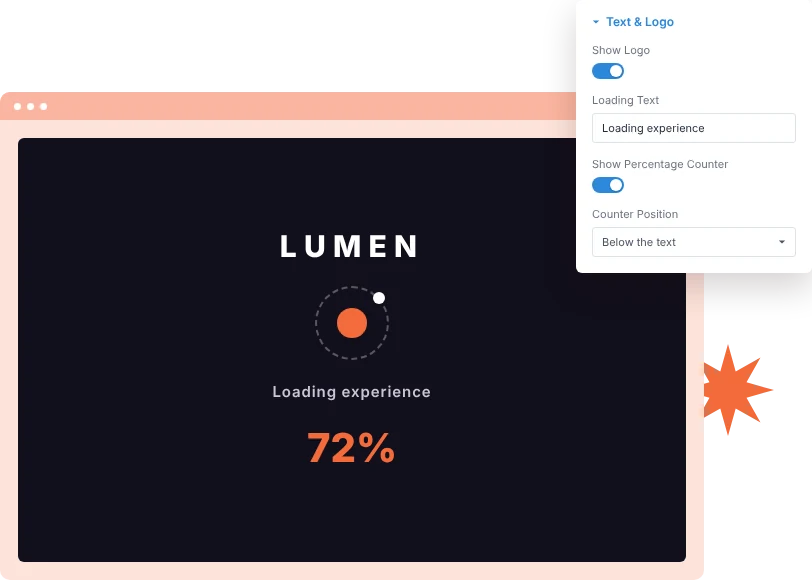
Build the loader from the animation, a loading text, your logo and a percentage counter in any combination. Stack them vertically or line them up side by side.
[ Smooth Hand-Off ]
Control How the Page Is Revealed
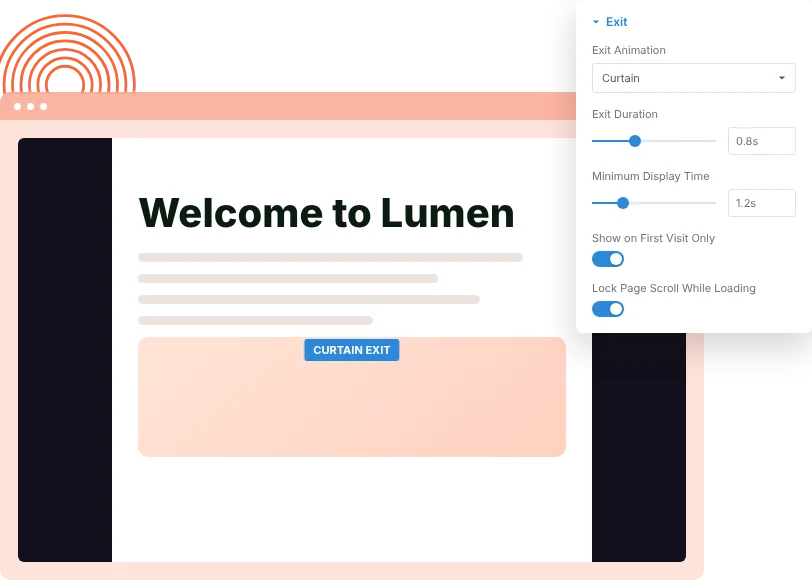
Set a minimum display time, then reveal the page with a fade, slide, zoom or curtain exit. Lock scrolling while it loads and show it on first visits only if you prefer.
[faq]
Frequently Asked Question
Still have questions? Get in touch with our team via “support@diviexpand.com”
What is the Preloader extension for Divi?
It shows a site-wide loading screen while the page loads, then reveals the page with an exit animation.
How many loader animations are there?
18, including Whirlpool, Infinity Spin, Bouncing Dots, Planet Orbit, Charging Battery and Music Bars. You can also turn the animation off and use only text or a logo.
Can I use my own logo?
Yes. Pick an image from the Media Library or paste a URL, then set its width and height.
Can it show a loading percentage?
Yes. Turn on Show Percentage Counter and place it below the text or beside it on the same line.
Can I show it only on the first visit?
Yes. Turn on Show on First Visit Only so returning visitors go straight to the page.
Can mobile use a different loader?
Yes. Desktop, tablet and mobile each have their own switch, layout and colors.
How do I keep it from slowing visitors down?
Keep the minimum display time short and consider first visit only. The loader leaves as soon as the page is ready and the minimum time has passed.
Do I need custom code to use Preloader?
No. Everything is set from the DiviAnimator dashboard with a live preview.
[ Extensions ]
Related Extensions
More GSAP-powered DiviAnimator extensions that pair well with Preloader.
Text Animation
Animate headings by character, word or line as they scroll into view.

Image Reveal on Hover
Show a floating image that follows the cursor over links and lists.

Advanced Animation
Fade, zoom and 3D entrance effects with five trigger types.
Everything You Need to Animate Divi
One plugin. Powerful extensions. Endless creative possibilities. Start building immersive Divi websites with smooth, high-performance animations powered by GSAP.