Divi Particle Text Module
Float images, icons and text around your Divi layouts. Place each item exactly, pick from five looping animations and add scroll parallax, with no code.
[ Headlines in Motion ]
Create Particle Text Animations
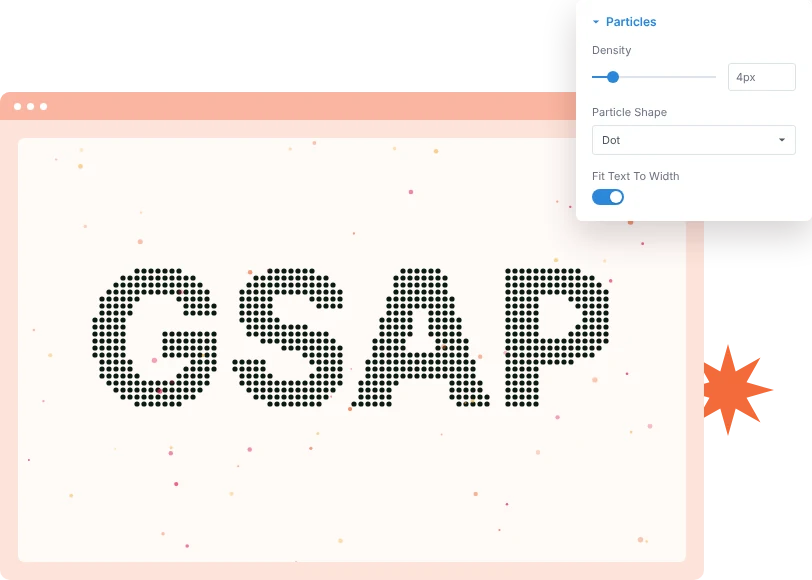
Type a short headline and the module draws it with particles that fly in and form the letters. Choose square or round particles and set how tightly they pack.
[ Color & Caption ]
Add Two-Tone Color and a Caption
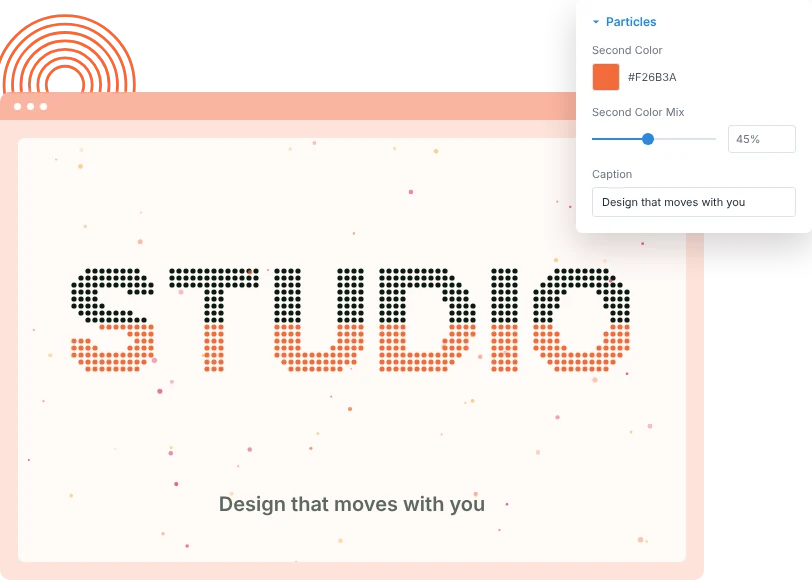
Give the lower part of the text a second color for a gradient-style finish, and add a caption line that fades in once the particles finish assembling.
[ Interactive & Accessible ]
Control the Entrance and Interaction
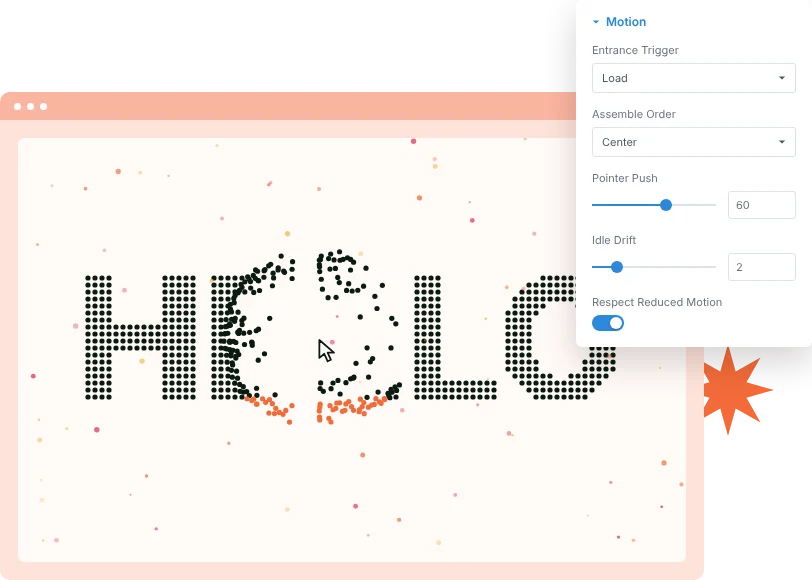
Start the effect on page load or on scroll, pick the assemble order and easing, and decide how strongly particles move away from the pointer.
[faq]
Frequently Asked Question
Still have questions? Get in touch with our team via “support@diviexpand.com”
What is the Particle Text module in Divi?
It draws a headline with thousands of particles that assemble into the letters, react to the pointer and drift gently once settled.
Is the text still readable by search engines?
Yes. The headline stays on the page as a real heading, so search engines and screen readers read it normally.
How long should the text be?
Keep it short. One to four words works best, because long sentences become hard to read as particles.
Can I use two colors?
Yes. Set a Second Color and use Second Color Mix to choose how much of the text, from the bottom, uses it.
Can I turn off the pointer effect?
Yes. Set Pointer Push to 0 to stop particles moving away from the pointer.
When does the animation start?
Choose Load for a hero headline or Scroll for text further down the page. Replay On Re-Enter plays it again each time it scrolls into view.
What about visitors who prefer reduced motion?
With Respect Reduced Motion on, those visitors see the finished text straight away, without the entrance, pointer push or drift.
Do I need custom code to use Particle Text?
No. Add and configure the Particle Text module directly in the Divi Builder.
[ More Divi Motion Effects ]
Our Others Modules
Build richer visual experiences by combining with other DiviAnimator modules.
Flexible Blurb
Create captivating text effects that grab attention and improve engagement.
Marquee
Create captivating text effects that grab attention and improve engagement.
Flexible Elements
Create captivating text effects that grab attention and improve engagement.
Everything You Need to Animate Divi
One plugin. Powerful extensions. Endless creative possibilities. Start building immersive Divi websites with smooth, high-performance animations powered by GSAP.