Divi Draw SVG
Make line icons, logos and illustrations draw themselves on screen with the GSAP-powered Draw SVG extension for Divi.
[ Line Art in Motion ]
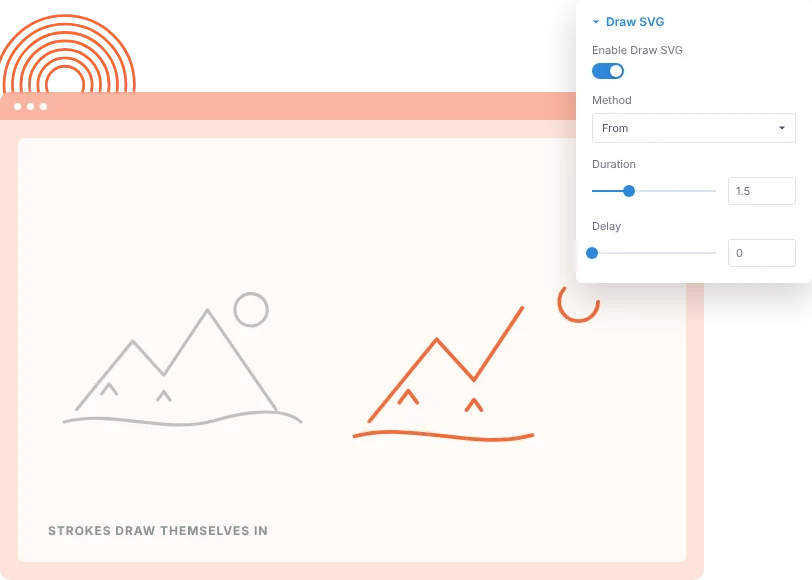
Draw Strokes as They Appear
Open the Advanced tab of an SVG or Image module, turn on Draw SVG and every stroke in the file draws itself in. It suits line icons, signatures, maps and hand-drawn illustrations.
[ Choose the Draw ]
Control Where the Line Starts and Ends
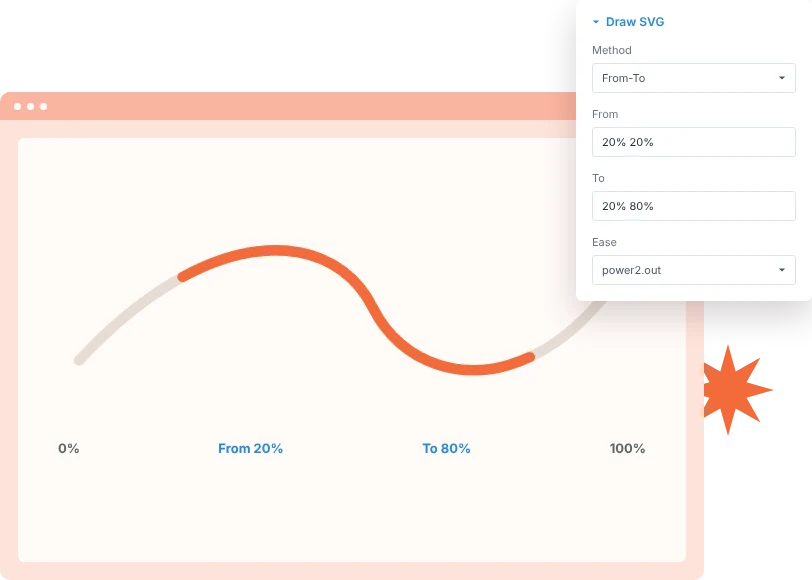
Pick From, To or From-To and set the draw range as percentages. Draw a line from nothing to complete, reveal it from the middle, or erase it back out.
[ Scroll & Loop ]
Tie the Drawing to Scroll or Loop It
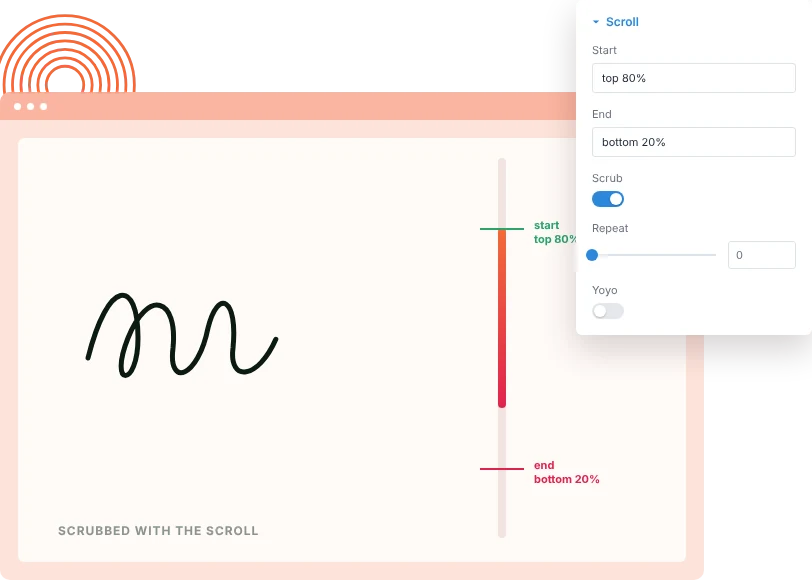
Link the drawing to the scroll so it moves forward and back with the scrollbar, or let it play on its own with repeat, repeat delay and yoyo.
[faq]
Frequently Asked Question
Still have questions? Get in touch with our team via “support@diviexpand.com”
What is the Draw SVG extension for Divi?
It animates the strokes of an SVG so its lines appear to draw themselves on screen. It runs on GSAP's DrawSVG plugin.
Which Divi modules does it work with?
The SVG module and the Image module. Turn it on from the Draw SVG group in the module's Advanced tab.
What kind of SVG works best?
Files built from strokes, such as line icons, outlines and signatures. Solid filled shapes have no line to draw, so they show less effect.
Can the drawing follow the scroll?
Yes. Turn on scrub and the drawing moves forward and back with the scrollbar. Set the start and end positions to control when it plays.
Can I draw only part of a line?
Yes. Use the From and To percentages to set where the stroke starts and ends, for example 20% to 80%.
Can the animation loop?
Yes. Set a repeat count and repeat delay, and turn on yoyo to draw the line in and back out.
Does it affect modules I don't animate?
No. Only SVG and Image modules where you switch Draw SVG on are animated.
Do I need custom code to use Draw SVG?
No. Everything is set from the module's Advanced tab in the Divi Builder.
[ Extensions ]
Related Extensions
More GSAP-powered DiviAnimator extensions that pair well with Draw SVG.
Text Animation
Animate headings by character, word or line as they scroll into view.

Image Reveal on Hover
Show a floating image that follows the cursor over links and lists.

Advanced Animation
Fade, zoom and 3D entrance effects with five trigger types.
Everything You Need to Animate Divi
One plugin. Powerful extensions. Endless creative possibilities. Start building immersive Divi websites with smooth, high-performance animations powered by GSAP.