Divi Flexible Elements
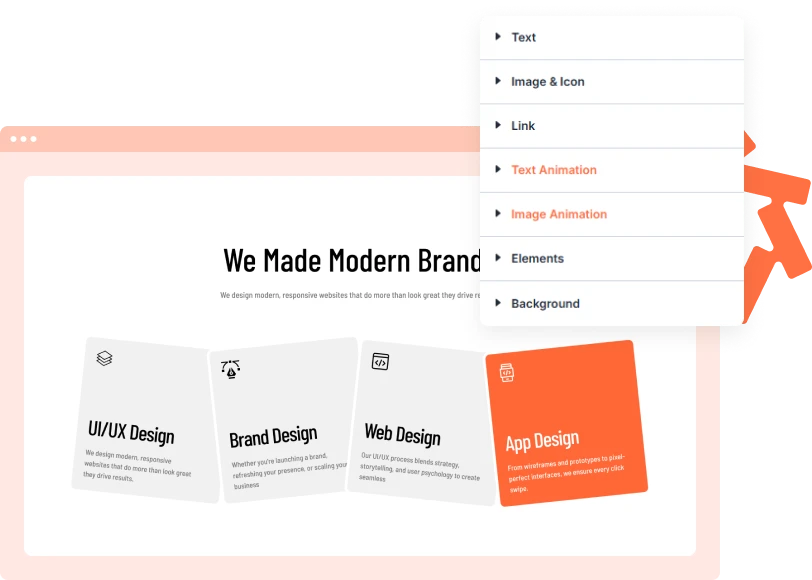
Turn standard Divi Blurbs into interactive card stacks with the Flexible Elements module.
[ Control How Elements Fall ]
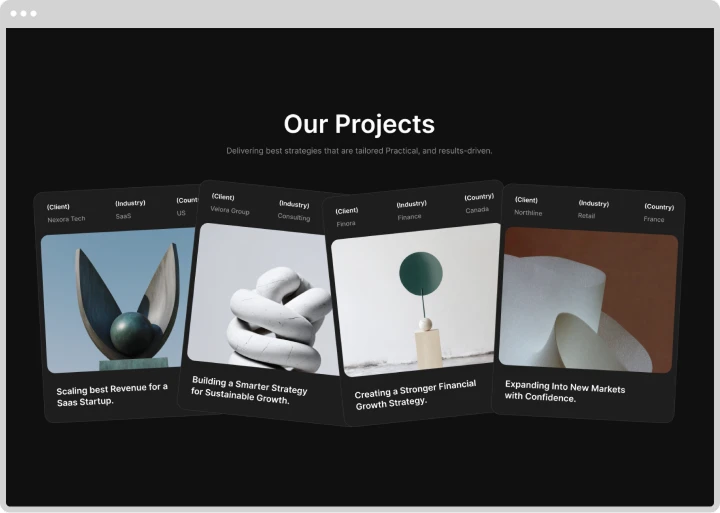
Create Flexible Blurb Stacks
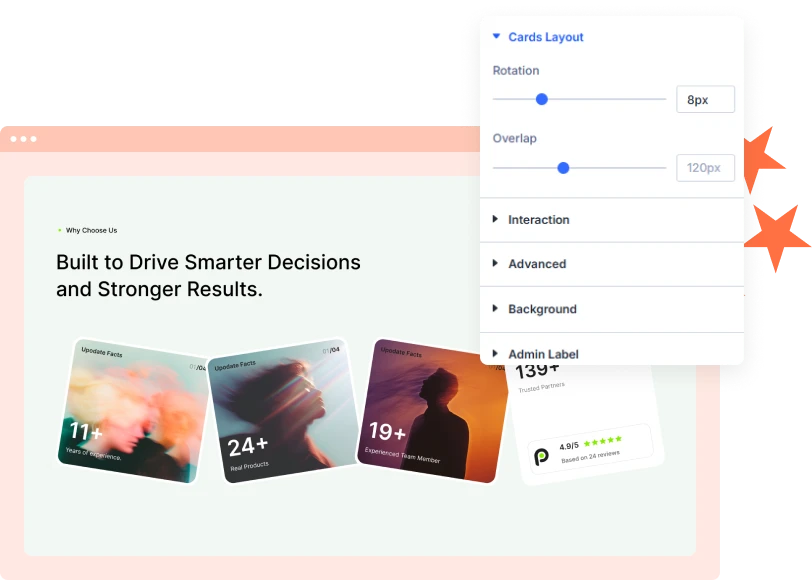
Arrange multiple Divi Blurbs into a layered card stack. Adjust rotation and overlap to control how the cards appear before visitors interact with them.
[ Engaging Hover Effects ]
Expand Cards on Hover
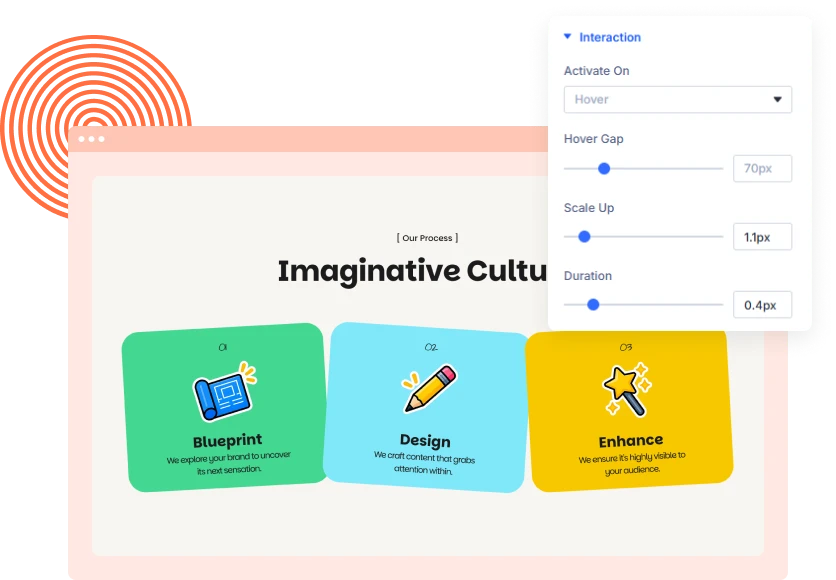
Make your Divi cards respond to visitor interaction. The active blurb grows while nearby cards move aside, giving each item more room to display its content.
[ Customize Every Detail ]
Style Your Divi Blurb Cards
Control the appearance of your flexible elements using Divi design settings. Adjust sizing, spacing, borders, shadows, filters, and transforms to match your website.
[faq]
Frequently Asked Question
Still have questions? Get in touch with our team via “support@diviexpand.com”
What is Flexible Elements in Divi?
Flexible Elements is a Divi module that arranges multiple Blurbs into an interactive stack. Cards expand on hover while surrounding cards move aside.
Can I add multiple blurb cards?
Yes. Add, edit, duplicate, delete, and reorder individual blurb elements inside the module.
Can I customize the card layout?
Yes. Adjust rotation and overlap to control how the cards are arranged in their default state.
Can I control the hover animation?
Yes. Customize the activation trigger, hover gap, scale, and animation duration.
Can I customize the appearance of each card?
Yes. Use Divi design settings to customize sizing, spacing, backgrounds, borders, shadows, and other visual properties.
Does Flexible Elements support mobile devices?
You can control the effect at different breakpoints. Since touchscreens do not support traditional hover, you can disable the interaction on tablet or phone.
Does it support reduced-motion preferences?
Yes. Enable Respect Reduced Motion to follow the visitor's device accessibility settings.
Do I need coding skills to use Flexible Elements?
No. Add and customize the module directly through the Divi Builder.
[ Extensions ]
Related Extensions
Divi Layout Pack with built-in animations and modern effects.
Text Animation
Create captivating text effects that grab attention and improve engagement.

Image Reveal on Hover
Create captivating text effects that grab attention and improve engagement.

Advanced Animation
Create captivating text effects that grab attention and improve engagement.
Everything You Need to Animate Divi
One plugin. Powerful extensions. Endless creative possibilities. Start building immersive Divi websites with smooth, high-performance animations powered by GSAP.